 Spreadsheets · Instructions · Research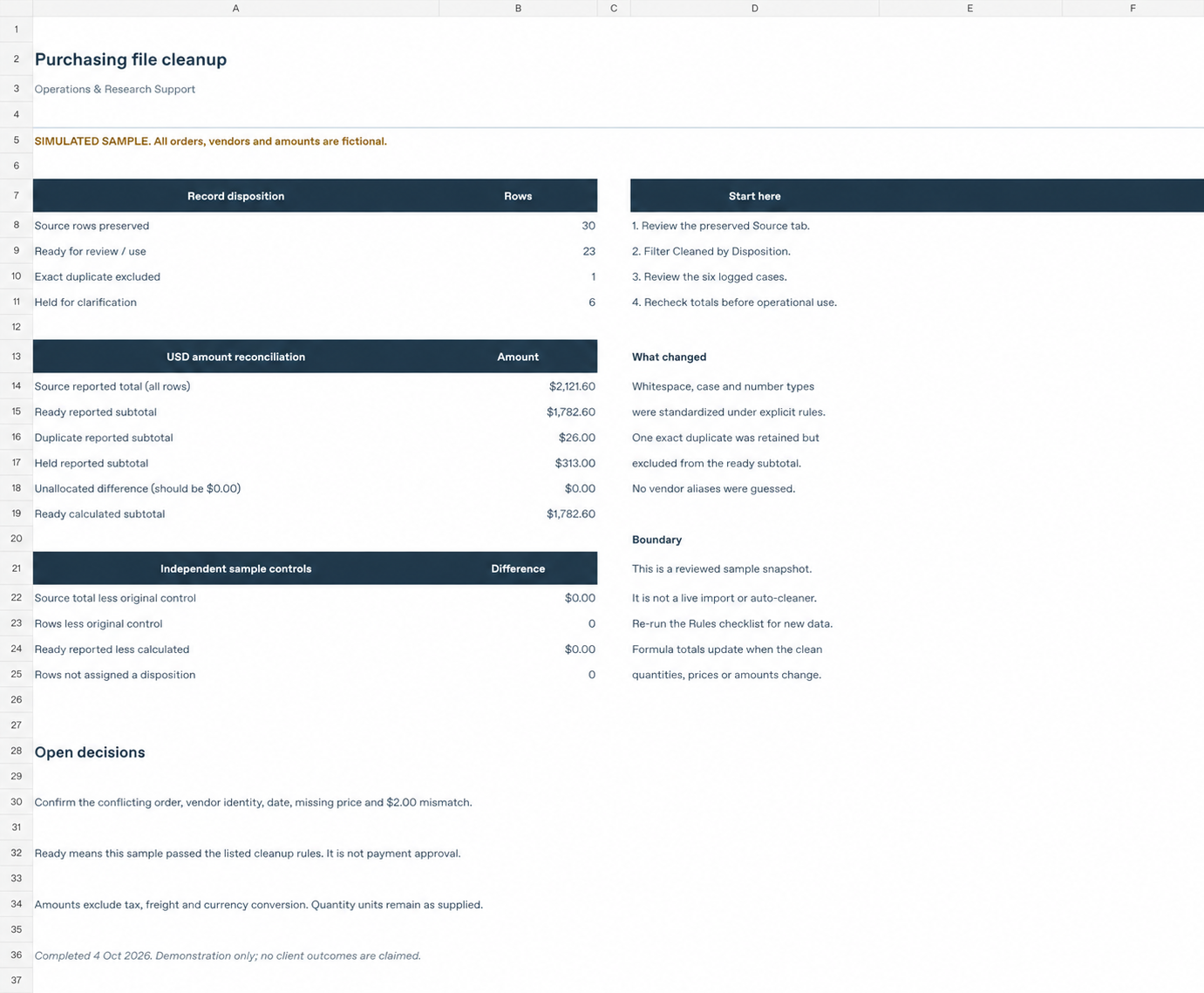
On this page
This simulated purchasing workbook demonstrates a reviewable cleanup handoff. All data is fictional. It is not a client engagement, a claim of savings, or production import software.
The starting point
The 30-row source includes inconsistent case and spacing, a duplicate, uncertain records, and an amount mismatch. The workbook keeps the original data available while showing which transformations were applied and which records still need a decision.
Four row-level decisions
- R01: “ po-4101 ” becomes “PO-4101.” Case and whitespace are normalized under the sample’s rules, while identity and punctuation are preserved.
- R25: Every raw business field matches R05. The duplicate is retained in the source and excluded from the ready subtotal.
- R27: “North Star Packaging” is held for review. It is not silently matched to “Northstar Packaging.”
- R30: Eight units at $6.25 calculate to $50.00, while the reported amount is $52.00. The $2.00 variance is flagged and the original amount stays visible.
Account for every row and dollar
The source contains 30 rows: 23 ready, six held for review, and one duplicate excluded. The six held rows represent five unresolved cases.
Using the original reported amounts: $2,121.60 source = $1,782.60 ready + $313.00 held + $26.00 duplicate. The reconciliation difference is $0.00.
This shows where the supplied values went. It does not prove the underlying transactions are correct. “Ready” means the row passed this sample’s listed rules; it is not payment approval or permission for a live-system import.
How the sample workbook is organized
- Summary: Row disposition, amount reconciliation, and open decisions.
- Cleaned: The working view and row status.
- Source: The original fictional records.
- Rules: The cleanup and matching approach.
- Exceptions: Questions requiring review.
The preview above shows the fictional workbook’s summary. This walkthrough explains its source records, rules, and exceptions; no real client outcome or measured time saving is represented.
Apply the approach to your own file
Start by identifying the source, the intended use, and the rules someone can confirm. Read the preparation guide or review the spreadsheet cleanup service.